
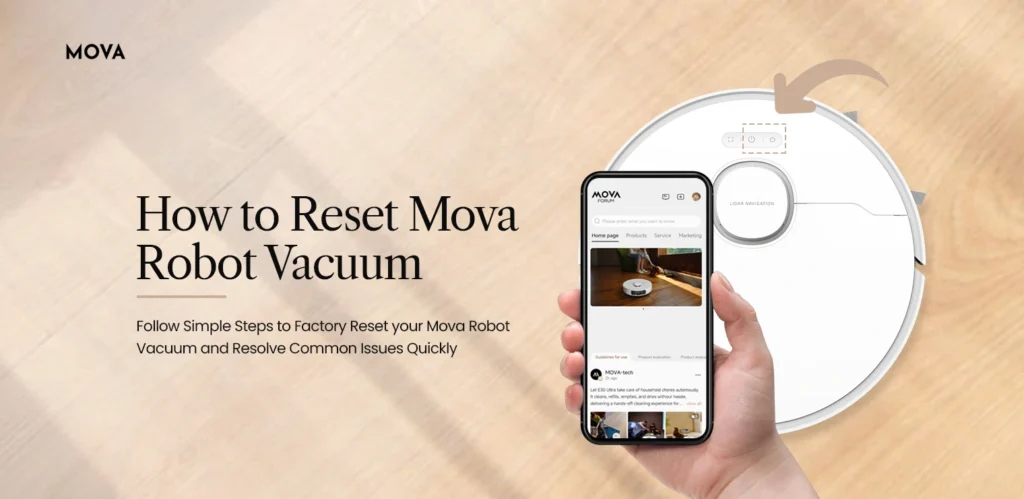
How to reset my Mova robot vacuum is one of the most common queries among robot vacuum users. Before you proceed to learn how to reset Mova robot vacuum, there are a few important things you must understand. First, resetting your Mova robot vacuum will revert the device to its factory default settings. In simple terms, all customized settings, saved maps, schedules, and Wi-Fi details will be erased.
To learn how to reset Mova robot vacuum, you should also know that resetting is recommended only in limited situations. A factory reset should always be your last option, as you will need to set up and configure the robot again like a new device.
Let’s start by discussing the steps to reset your Mova robot vacuum. After that, we will explain when you should consider resetting your Mova robot vacuum to factory default settings.
How to Reset My Mova Robot Vacuum?
There are two methods through which you can reset your Mova robot vacuum to factory default settings.
Method 1: Reset Mova Robot Vacuum via the Mova App
- Open the Mova app on your smartphone.
- Log in using your registered email address and password.
- Navigate to Settings and select the Robot option.
- Tap on Factory Reset.
- Confirm the reset action when prompted.
- The Mova robot vacuum will begin the reset process.
- Once completed, the device will return to factory default settings.
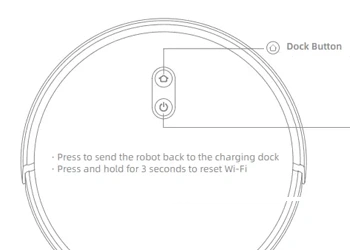
Method 2: Manual Reset Process
- Turn your Mova robot vacuum upside down.
- Locate the power or reset button on the device.
- Press and hold the power button for about 10–15 seconds
- Wait until the robot powers off completely.
- After a few seconds, turn the robot back on.
- The Mova robot vacuum will reset and restart.
Things to Keep in Mind
Before resetting your Mova robot vacuum, keep the following points in mind:
- Resetting the robot will erase all saved maps and settings.
- You will need to re-add the robot to the MOVAhome app after reset.
- All cleaning schedules and custom zones must be set up again.
- Wi-Fi credentials will be removed and need to be reconfigured.
When Should You Reset the Mova Robot Vacuum?
Here are the most common situations where learning how to reset Mova robot vacuum becomes necessary:
- Before selling or gifting the Mova robot vacuum to someone else
- When the Mova robot vacuum won’t connect to Wi-Fi
- If the robot encounters software or firmware issues
- When the robot stops responding to commands
- If the device shows repeated error messages
- When troubleshooting steps fail to resolve the issue
How to Turn Off Mova Robot Vacuum?
To turn off a Mova robot vacuum, follow these steps:
- Make sure the robot is not cleaning or docked.
- Press and hold the Power button for about 10–12 seconds.
- The robot will power off completely.
You can also turn off the robot using the Mova app.
To turn off via the app:
- Open the Mova app on your smartphone.
- Tap on Settings.
- Select Robot Controls.
- Tap the Power Off option.
What Do I Do If I Am Unable to Turn Off the Mova Robot Vacuum?
If you are unable to turn off your Mova robot vacuum, try the following:
- If the robot is stuck or blocked, manually remove it from the obstacle.
- Place the robot back on the charging dock and allow it to stop cleaning.
- Unplug the charging dock temporarily if the robot is unresponsive.
- Perform a manual reset if the robot does not shut down properly.
- If not in use for a long time, empty the dustbin and clean filters to avoid performance issues.
Final Thoughts
This post is all about how to reset Mova robot vacuum to factory default settings. Resetting your Mova robot vacuum is a simple and effective way to resolve persistent connectivity, software, or performance issues. However, it is important to reset the device only in specific situations, as all customized settings will be erased.
We hope this guide helped you understand how to reset my Mova robot vacuum safely and correctly. If you still have questions or need assistance, feel free to reach out to us for expert support.